What we can do for you

One team for the whole thing, from the first sketch to the day it runs itself.

Software engineering

Web apps, platforms and the systems underneath them, built to be run for years.

The software your business actually runs on. A booking system, a customer portal, an online store, or the internal tool that replaces the spreadsheet everyone is afraid to touch. We build it properly the first time, so it still works when you have ten times the customers, and we write it so that someone other than us can read it.

Who it's for

  • Service businesses that take bookings
  • Shops selling online
  • Founders with a product idea and no team
  • Companies outgrowing their spreadsheets

Tools we use

  • Next.js
  • React
  • TypeScript
  • Python
  • PostgreSQL
  • WordPress
  • Stripe
  • AWS

What we build

  • Web apps and customer portals

    Somewhere your customers log in to book, pay, track an order or see their account. Built around how your business works, not squeezed into a template.

  • Booking and payments

    Calendars, deposits, invoices and refunds that match your real availability and prices, with a confirmation sent the moment a payment clears.

  • Online stores

    Product pages, checkout, discount codes and order tracking, on a platform your team can run day to day without calling us.

  • Internal tools

    The spreadsheet that runs the business, turned into a proper tool. The right people see the right things, and nothing gets lost in an email chain.

  • Websites that bring in customers

    Fast, easy to find in search, and written so a visitor knows within seconds what you do and how to get started.

  • Connecting your tools

    Your CRM, accounts, calendar and messages talking to each other, so nobody has to copy information from one to another by hand.

You might need this if

  • Someone on your team does by hand what software should be doing
  • Your site or app breaks, and nobody can tell you why
  • You have an idea for a product and no one to build it
  • Your business has outgrown the tool it started on

How it runs

  1. 1

    Walk through it

    We sit with you and the people who will use it, and watch how the work gets done today.

  2. 2

    Agree the first version

    What it does on day one, what waits until later, and what it costs.

  3. 3

    Build in the open

    A working version to try every week, on a link you can share with your team.

  4. 4

    Launch and look after it

    We put it live, watch it closely through the first weeks, and keep looking after it from then on.

What you get

  • Working software you can try every week, not one big reveal at the end
  • Hosting, domain and email set up properly, in your name
  • Everything written down, so a future hire can pick it up
  • Us, still around after launch, running it and fixing what breaks

AI systems

Assistants and automations that do real work, like answering your phones.

AI earns its place when it takes a real job off someone's plate. We build assistants that answer your calls and messages, and automations that handle the repetitive work. They are tied to your own records, so they give real answers instead of confident guesses, and they hand over to a person when they should.

Who it's for

  • Clinics, salons and trades that live on the phone
  • Teams buried in email and paperwork
  • Businesses that answer the same questions all day
  • Anyone who tried an AI tool and did not trust it

Tools we use

  • Vapi
  • Twilio
  • Deepgram
  • OpenAI
  • FastAPI
  • PostgreSQL
  • Redis
  • AWS

What we build

  • Voice receptionists

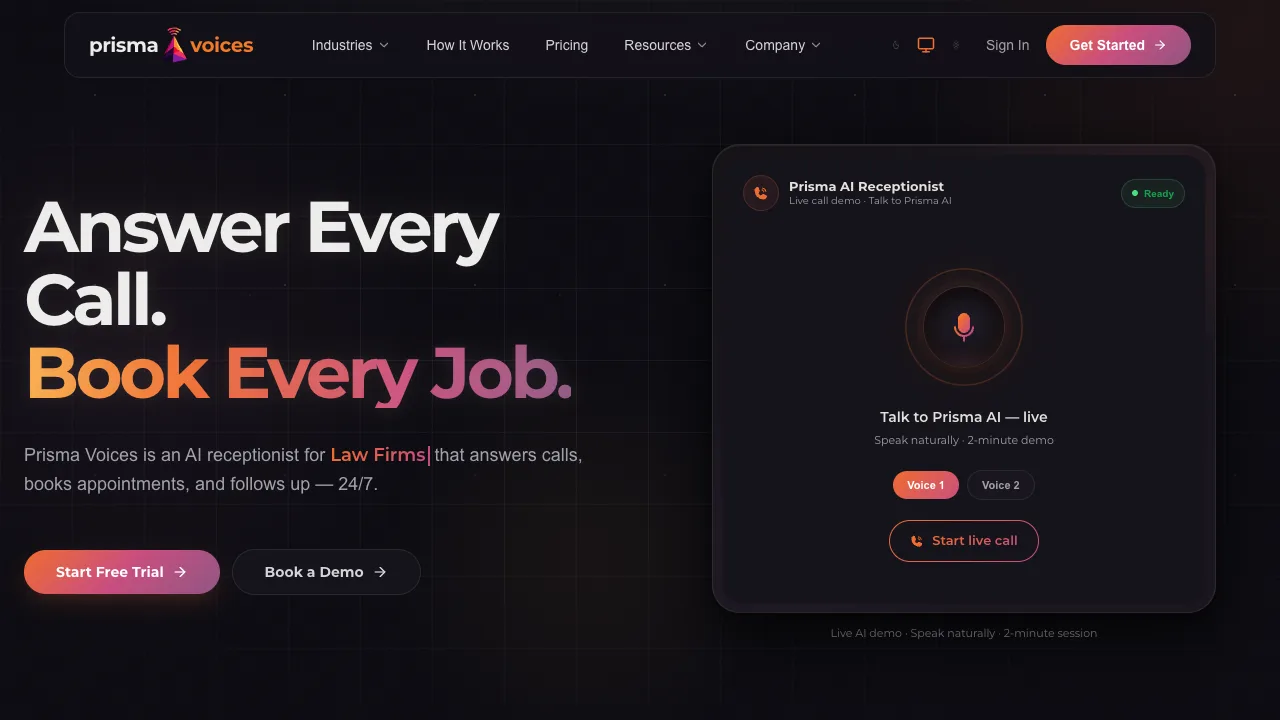
    Every call answered in under a second, day and night. It books the appointment, quotes the real price, texts a confirmation and passes the caller to a person when they need one.

  • Chat assistants

    On your website or WhatsApp, answering questions from your own prices and policies, taking enquiries and sending the serious ones straight to you.

  • Reading documents and inboxes

    Invoices, forms, CVs and emails read and sorted, with the details pulled out and filed where they belong.

  • Drafts for a person to check

    Replies, quotes, summaries and reports written in your voice and waiting for someone to check. The AI writes the first draft; your team has the final say.

  • Automations between tools

    When a form comes in, a deal closes or a payment fails, the next steps happen by themselves and the right person hears about it.

  • Answers from your own knowledge

    Ask a question and get the answer from your own manuals, contracts and past work, with a link to where it came from.

You might need this if

  • Calls go to voicemail after hours, and those customers go elsewhere
  • Your team spends hours copying information from one place to another
  • The same ten questions take up half of someone's day
  • You tried an AI tool and it made things up

How it runs

  1. 1

    Find the right job

    We look for the work that is repetitive, costly and safe to hand over, and start there.

  2. 2

    Ground it in your data

    We connect it to your real prices, calendar and policies, so every answer can be checked.

  3. 3

    Test it on real cases

    We run it against your past calls, emails or documents before any customer meets it.

  4. 4

    Watch it and improve it

    Once it is live you can read every conversation, and we keep tuning it on what we see.

What you get

  • An assistant that answers from your real prices, dates and policies
  • A handoff to a person whenever the assistant should not decide alone
  • A record of every call and conversation, so you can see what it said
  • Running costs you can see and predict

Product design

What it looks like and how it works, settled before anyone builds it.

The most expensive mistakes in software happen before anyone writes code. We work out with you what the product has to do and who it is for, then design every screen so you can click through it and change your mind while changes still cost little.

Who it's for

  • Founders with an idea and no product yet
  • Businesses whose website no longer fits them
  • Teams raising money who need something to show
  • Products that customers find hard to use

Tools we use

  • Figma
  • Framer Motion
  • Tailwind

What we build

  • Working out the first version

    Short sessions where we pin down who it is for, the problem it solves, and the smallest version worth building.

  • Clickable prototypes

    Something you can tap through on your phone and put in front of customers or investors before any code is written.

  • Screen design

    Every screen of your website, web app or mobile app, including the empty, error and loading screens most designs forget.

  • Brand and identity

    A logo, colours and type, with simple rules so everything you put out looks like it came from the same place.

  • Fixing what confuses people

    We find where customers get stuck on your site or app, and redesign those parts first.

You might need this if

  • You have the idea, but not a clear picture of the first version
  • Customers get lost on your site or in your app
  • You need something real to put in front of investors or early customers
  • Your brand looks different everywhere it appears

How it runs

  1. 1

    Listen

    We learn the business, the customers, and what you want those customers to do.

  2. 2

    Sketch

    Rough layouts to agree the shape of it before any detail goes in.

  3. 3

    Prototype

    A clickable version you can try yourself and show to other people.

  4. 4

    Hand over

    Final designs, ready for us or anyone else to build.

What you get

  • A prototype you can click through before anything is built
  • Designs that are ready to build, down to the last screen
  • A clear line between what goes in the first version and what waits

Data

Your numbers in one place, and a way to see when something breaks.

Your numbers live in five different tools and none of them agree. We bring them into one place so you can see how the business is really doing, send the reports nobody has time to put together, and set up alerts so you hear about a problem before your customers do.

Who it's for

  • Owners running the business on gut feel and spreadsheets
  • Shops and booking businesses with data spread across tools
  • Teams losing hours every week to reports
  • Anyone who hears about outages from customers

Tools we use

  • PostgreSQL
  • Python
  • AWS
  • Google Sheets
  • Vercel Analytics

What we build

  • Dashboards

    Sales, bookings, stock, calls or cash on one screen that updates itself, built around the few numbers you actually make decisions with.

  • Bringing your data together

    Records pulled out of your shop, accounts, CRM and spreadsheets into one place, so every report starts from the same numbers.

  • Reports that send themselves

    The weekly or monthly report, put together automatically and in your inbox before you start work.

  • Alerts and monitoring

    A message when the site goes down, payments start failing or a number moves the wrong way, so you hear before your customers do.

  • Cleaning up old records

    Duplicates removed, formats fixed and gaps filled, so you can trust the numbers again.

  • Knowing what brings customers in

    Analytics set up so you can see where customers come from, and which pages, ads and campaigns are worth paying for.

You might need this if

  • The weekly report takes someone half a day to put together
  • Two tools give you two different answers to the same question
  • You find out about problems from your customers
  • You cannot tell which of your ads or campaigns actually work

How it runs

  1. 1

    Pick the questions

    We start from the decisions you make each week, and the numbers those decisions need.

  2. 2

    Find the sources

    We map where each number lives today, and how far each one can be trusted.

  3. 3

    Build one view

    The data comes together in one place, with a dashboard and reports on top.

  4. 4

    Keep it honest

    Checks and alerts keep the numbers right as the business changes.

What you get

  • One place to see the numbers that matter to you
  • Reports and alerts that run without anyone remembering to
  • Knowing where every number comes from

How a project goes

No surprises. You always know what is happening and what it costs.

  1. 1

    Learn

    We learn how your business works before we write any code.

  2. 2

    Scope

    What we will build, what we won't, and what it costs.

  3. 3

    Design

    You see how it will work before anyone builds it.

  4. 4

    Build

    Working software you can try every week, not one big reveal.

  5. 5

    Launch

    Real customers use it, and we fix what they find.

  6. 6

    Run it

    We stay responsible for it long after launch day.

Questions founders ask us

If yours is not here, ask us. A person will write back.

I'm not technical. Is that a problem?

No. Most of the founders we work with have never hired an engineer. You make the business decisions, we make the technical ones and explain them plainly, and nothing gets built that you do not understand.

Do I need a spec before we talk?

No. A few lines about what you want to happen is enough. Working out the detail is part of our job, and it is the first thing we do together.

How much will it cost?

That depends on what we build, so we scope it before anything else. Before any building starts, you know what we will build, what we won't, and what it costs.

How long will it take?

We agree on a timeline when we scope the work. Once building starts, you get working software to try every week, so you see progress as it happens rather than waiting for one big reveal.

What happens after launch?

We stay. We run what we build, fix what breaks and keep it up to date. Everything is written down too, so the day you hire your own team, they can take it over.

Can you work on something we already have?

Yes. We can take over an existing site or app, find out what is wrong with it, and tell you plainly whether to fix it or rebuild it.

Tell us what you're building.

A few lines is plenty. You don't need a spec, and a person will write back.

or email admin@bedrockbytes.com